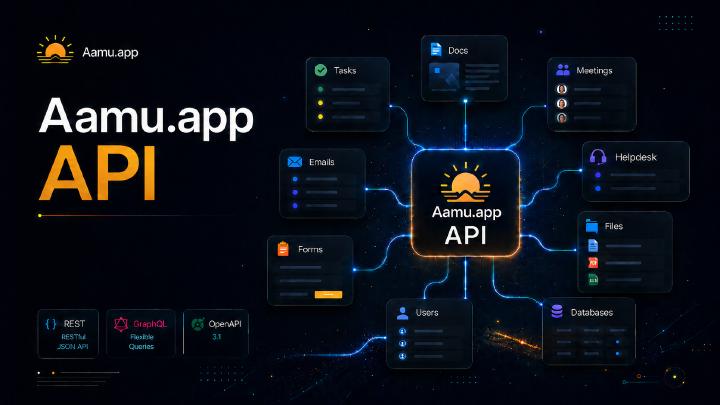
Short answer: A practical guide to the Aamu API for newsletters, tasks, docs, meetings, files, forms, database automations, GraphQL rows, and activity timelines.
The Aamu API lets integrations work with project Tasks, Docs, meetings, Forms, Newsletters, Git, files, Helpdesk, Email and Databases. Database rows are available through GraphQL and REST; webhooks notify external systems of changes.
The API is described by an OpenAPI document at /.well-known/openapi.json. That document is useful both for humans and for AI tools that need to discover available operations.
Authentication and project scope
Every API request uses a Team API key in the x-api-key header. Project-scoped resources also use x-project-id. When an API key has access to multiple projects, the project header disambiguates which project the request should use.
x-api-key: YOUR_API_KEY
x-project-id: YOUR_PROJECT_IDAPI keys can be scoped by feature and permission. For example, one key can have read-only Docs access, while another can create tasks, upload files, submit forms, manage Git repositories and SSH keys, manage newsletters, and manage database automations in selected projects.
Database schema and row access use the Database scope. Automation definitions use a separate Automations scope, because permission to work with database data should not automatically grant permission to create workflows with side effects. Automation actions also require the scope of their destination: Tasks write for create_task and Emails write for send_email.
Team admins create keys from Team settings under API keys. The generated secret is shown only once, so copy it immediately. The stored key list later shows safe metadata such as name, creation time, last-used time, scopes, permissions, endpoints and required headers, but it never shows the secret again.
The API documentation links are also available from the same settings page: /.well-known/openapi.json, the alternative /api/openapi.json, and the AI plugin manifest at /.well-known/ai-plugin.json.
API actor
Write operations can set the acting user with x-aamu-actor. The value can be a username, such as ai or badding, or a user id. The actor must be a member of the scoped project.
When the header is omitted, Aamu uses the project ai user when available, otherwise the project owner. The same fallback applies across project item writes: tasks, docs, meetings, newsletters, form submissions, file upload registration, and database creation/schema operations.
x-aamu-actor: aiAPI key introspection
Integrations can inspect the API key they are currently using with GET /api/v1/key. This is useful for setup checks, debugging missing permissions, and choosing the right project header when a key has multiple scopes.
The endpoint returns safe metadata only. It never returns the API key value, salt, hash, or any other secret used to validate the key.
GET: inspect current API key
GET /api/v1/key
x-api-key: YOUR_API_KEYExample response:
{
  "key": {
    "id": "API_KEY_ID",
    "name": "Support automation",
    "permissions": ["read", "write", "comment"],
    "scopes": [
      {
        "feature": "helpdesk",
        "resource_id": "PROJECT_ID",
        "permissions": ["read", "write", "comment"]
      },
      {
        "feature": "team-brain",
        "resource_id": "PROJECT_ID",
        "permissions": ["read", "write", "comment"]
      }
    ],
    "created": 1780000000000,
    "created_by": "USER_ID",
    "last_used_at": 1780000000000,
    "expires_at": null
  }
}Use the returned scopes list to confirm which features the key can access. Project-scoped endpoints still use x-project-id when the project needs to be disambiguated.
Team Brain
Team Brain is the shared knowledge layer behind Aamu AI. It can be queried directly through the API when an integration needs grounded context before it writes a task, drafts a support reply, creates a doc, or decides what to do next.
The retrieve endpoint returns matching curated Team Brain entries and source chunks. It does not generate a final answer by itself; callers can use the results as context for their own model, or let Aamu use the same knowledge through a workflow such as Helpdesk reply-draft generation.
POST: retrieve knowledge
limit controls the maximum number of matching results returned. Results are ranked by relevance score, so a smaller limit is useful when an AI prompt needs only the strongest few pieces of context, while a larger limit gives the caller more material to inspect or rerank.
POST /api/v1/team-brain/retrieve
x-api-key: YOUR_API_KEY
x-project-id: YOUR_PROJECT_ID
Content-Type: application/json

{
  "query": "How should we answer a billing cancellation question?",
  "limit": 8
}Example response:
{
  "results": [
    {
      "kind": "brain",
      "score": 0.82,
      "title": "Cancellation billing policy",
      "text": "Explain the policy clearly and ask for the account email if needed.",
      "urls": []
    }
  ]
}Use Team Brain read scope for the project. When Helpdesk draft generation is configured to use Team Brain, the same Team Brain read scope is required in addition to Helpdesk write scope.
Users
The Users API resolves project members for actor headers, task assignees and integrations that need stable Aamu user ids. It accepts any project read scope, such as Tasks, Docs, Git, Newsletters, Helpdesk or Emails.
GET: list users
GET /api/v1/users/
x-api-key: YOUR_API_KEY
x-project-id: YOUR_PROJECT_IDThe older ?username=... query filter is still supported for backwards compatibility, but one-user lookups should use the resource endpoint below.
GET: get one user
GET /api/v1/users/badding
x-api-key: YOUR_API_KEY
x-project-id: YOUR_PROJECT_IDThe path value can be a username or user id. Example response:
{
  "user": {
    "id": "USER_ID",
    "username": "badding",
    "name": "Badding",
    "email": "badding@example.com"
  }
}User activity reports
The Reports API provides project-scoped user activity totals, day/week/month time series, and event timelines grouped by local calendar day. Use a Team API key with Reports read scope and the normal x-project-id header.
An active day includes every matching activity type rather than comments alone. The event stream can contain activity from Tasks, Docs, Git, Helpdesk, meetings, files, databases, comments, and other supported project features.
GET: report all project users
GET /api/v1/reports/users/?from=2026-07-01&to=2026-08-01&timezone=Europe/Helsinki&interval=week
x-api-key: YOUR_API_KEY
x-project-id: YOUR_PROJECT_IDfrom is inclusive, to is exclusive, and the maximum range is 366 days. The timezone controls calendar-day boundaries. Supported intervals are day, week, and month. Use users with comma-separated ids or usernames and metrics to select only the required values.
The first metrics include total events, active days, distinct touched items, comments, commits, created branches, and created, merged, closed, or reopened pull requests. Project totals, per-user values, and continuous intervals are returned together.
GET: report one user
GET /api/v1/reports/users/ada?from=2026-07-01&to=2026-08-01&timezone=Europe/Helsinki&interval=dayThe path accepts a username or user id.
GET: list a user’s activity by day
GET /api/v1/reports/users/ada/activity?from=2026-07-01&to=2026-08-01&timezone=Europe/Helsinki&categories=git,comments&limit=100The activity endpoint returns safe event metadata grouped by date. Filter with broad categories or exact event types, and continue with the opaque next_cursor. Its summary covers the complete filtered range rather than only the current page.
Activity history begins when normalized event collection is enabled. Check the response’s data_coverage object before comparing older periods; the API does not infer a complete event history from the current state of tasks, tickets, documents, or repositories.
For complete examples and metric definitions, see Report on user activity with the Aamu API.
Git
The Git API manages repositories, files, branches, commits, diffs and pull requests, alongside repository settings, branch protection, push mirrors, CI and public SSH keys.
Use Git read scope for reads, Git write scope for code and pull request changes, and Git admin scope for repository creation, deletion and administrative settings. SSH key changes use Git write scope. Project-scoped requests use x-project-id when needed.
SSH key endpoints only work with public keys. Aamu never receives, stores, or returns private SSH keys. By default the key owner is the user who created the Team API key; x-aamu-actor is intentionally not used for Git SSH key management because SSH keys are persistent credentials.
GET: list Git repositories
GET /api/v1/git/repos/
x-api-key: YOUR_API_KEY
x-project-id: YOUR_PROJECT_IDExample response:
{
  "repos": [
    {
      "id": "REPO_ID",
      "pid": "YOUR_PROJECT_ID",
      "name": "customer-portal",
      "status": "active",
      "default_branch": "main",
      "private": true,
      "ssh_url": "git@git.example.com:team/customer-portal.git",
      "html_url": "https://git.example.com/team/customer-portal"
    }
  ]
}POST: create a Git repository
POST /api/v1/git/repos/
x-api-key: YOUR_API_KEY
x-project-id: YOUR_PROJECT_ID
Content-Type: application/json

{
  "name": "customer-portal",
  "description": "Customer-facing portal code",
  "private": true,
  "auto_init": true
}The response returns the Aamu repository id together with Git clone URLs from the team Git service. Use that id for repo-specific task endpoints such as /api/v1/repos/{repoId}/tasks/.
DELETE: delete a Git repository
DELETE /api/v1/git/repos/REPO_ID
x-api-key: YOUR_API_KEY
x-project-id: YOUR_PROJECT_IDDeleting a repository removes it from the team Git service and marks the linked Aamu repository record deleted.
GET: list Git SSH keys
GET /api/v1/git/keys/
x-api-key: YOUR_API_KEY
x-project-id: YOUR_PROJECT_IDExample response:
{
  "keys": [
    {
      "id": "KEY_ID",
      "title": "CI deploy key",
      "key": "ssh-ed25519 AAAAC3NzaC1lZDI1NTE5AAAA...",
      "fingerprint": "SHA256:...",
      "owner": "USER_ID"
    }
  ]
}POST: add a Git SSH key
POST /api/v1/git/keys/
x-api-key: YOUR_API_KEY
x-project-id: YOUR_PROJECT_ID
Content-Type: application/json

{
  "title": "CI deploy key",
  "key": "ssh-ed25519 AAAAC3NzaC1lZDI1NTE5AAAA... ci@example"
}DELETE: remove a Git SSH key
DELETE /api/v1/git/keys/KEY_ID
x-api-key: YOUR_API_KEY
x-project-id: YOUR_PROJECT_IDHelpdesk
The Helpdesk API is designed for human-in-the-loop support automation. Integrations can read new tickets, prepare reply drafts, and send a draft only through an explicit send command.
Reply drafts are stored in the same user-specific comment draft location the UI uses, and the ticket is marked with hasDraft. In practice this means the draft appears in the Helpdesk reply editor for the API actor, ready for a human to review and send.
GET: list tickets
GET /api/v1/helpdesk/tickets/?status=open&unanswered=true
x-api-key: YOUR_API_KEY
x-project-id: YOUR_PROJECT_IDGET: resolve a Helpdesk actor
Use this endpoint to check a Helpdesk actor and the project Helpdesk mailbox used for email tickets. The actor can be a username or user id. The response includes safe mailbox metadata only, never passwords or tokens.
GET /api/v1/helpdesk/actors/ile
x-api-key: YOUR_API_KEY
x-project-id: YOUR_PROJECT_IDExample response:
{
  "actor": {
    "id": "USER_ID",
    "username": "ile",
    "name": "Ilkka Huotari",
    "email": "user-account@example.com",
    "helpdesk_name": "Ilkka",
    "mailbox": {
      "email": "support@example.com",
      "name": "Support",
      "configured": true
    }
  }
}PUT: write a reply draft
PUT /api/v1/helpdesk/tickets/TICKET_ID/reply-draft
x-api-key: YOUR_API_KEY
x-project-id: YOUR_PROJECT_ID
x-aamu-actor: ai
Content-Type: application/json

{
  "html": "<p>Hei, kiitos viestistä. Tarkistin tilanteen ja...</p>",
  "mode": "replace"
}POST: generate a reply draft
Aamu can also generate the draft with Team AI. By default this uses Team Brain retrieval as context, so the API key needs both Helpdesk write scope and Team Brain read scope for the project.
POST /api/v1/helpdesk/tickets/TICKET_ID/reply-draft/generate
x-api-key: YOUR_API_KEY
x-project-id: YOUR_PROJECT_ID
x-aamu-actor: ai
Content-Type: application/json

{
  "instructions": "Answer in Finnish, friendly and concise.",
  "use_team_brain": true,
  "mode": "replace"
}The generated draft is saved as the API actor’s Helpdesk comment draft. It is not sent automatically.
POST: send a reply draft
Sending is deliberately separate from writing or generating a draft. The send endpoint takes the current draft for the API actor, sends it through the same Helpdesk comment/email path as the UI, clears the draft, and returns the sent comment plus the updated ticket.
Use Helpdesk comment permission for this endpoint. x-aamu-actor selects whose draft is sent, so integrations can safely keep AI-generated drafts under an ai actor or send as a specific user when that is intended.
POST /api/v1/helpdesk/tickets/TICKET_ID/reply-draft/send
x-api-key: YOUR_API_KEY
x-project-id: YOUR_PROJECT_ID
x-aamu-actor: aiExample response:
{
  "comment_path": "comments.3",
  "comment": {
    "id": "COMMENT_ID",
    "html": "<p>Hei, kiitos viestistä...</p>",
    "from": "ai"
  },
  "ticket": {
    "id": "TICKET_ID",
    "has_draft": false
  }
}Emails
The Email API follows the same human-in-the-loop model as Helpdesk: integrations can list email threads, write or generate a user-specific reply draft, and send that draft only through an explicit send command.
Drafts are stored in the same user-specific comment draft location the email UI uses and the email is marked with hasDraft. Use x-aamu-actor to select whose draft is written, generated or sent.
GET: list emails
limit controls the maximum number of email threads returned. Use status=unanswered or unanswered=true when building an AI reply queue.
GET /api/v1/emails/?status=unanswered&limit=20
x-api-key: YOUR_API_KEY
x-project-id: YOUR_PROJECT_IDGET: resolve an email actor
Use this endpoint to check which project-specific email address an actor uses when sending email replies. The actor can be a username or user id. The response includes safe mailbox metadata only, never passwords or tokens.
GET /api/v1/emails/actors/ile
x-api-key: YOUR_API_KEY
x-project-id: YOUR_PROJECT_IDExample response:
{
  "actor": {
    "id": "USER_ID",
    "username": "ile",
    "name": "Ilkka Huotari",
    "email": "user-account@example.com",
    "mailbox": {
      "email": "project-mailbox@example.com",
      "name": "Kansalaiskeskustelu",
      "configured": true
    }
  }
}GET: search email contacts
Use contacts when selecting recipients for new drafts or sent emails. The API also auto-resolves address-only recipients to existing contacts by email address. Missing contacts are created only when create_missing_contacts is explicitly set to true.
GET /api/v1/emails/contacts/?q=ilkkah&limit=10
x-api-key: YOUR_API_KEY
x-project-id: YOUR_PROJECT_ID
x-aamu-actor: ilePOST: create a new email draft
Use this endpoint to create a new outbound email draft for the API actor without sending it. The draft appears in the same email draft list the UI uses. Use Emails write permission for this endpoint.
POST /api/v1/emails/drafts/
x-api-key: YOUR_API_KEY
x-project-id: YOUR_PROJECT_ID
x-aamu-actor: ile
Content-Type: application/json

{
  "subject": "Draft from Aamu API",
  "html": "<p>This draft has not been sent.</p>",
  "to": [
    { "address": "ilkkah@gmail.com", "name": "Ilkka" }
  ],
  "create_missing_contacts": true
}POST: send a new email
Use this endpoint to send a new outbound email, not a reply to an existing thread. It creates a draft for the API actor, sends it through the same project email path as the UI, and returns the sent email thread. Use Emails comment permission for this endpoint.
POST /api/v1/emails/
x-api-key: YOUR_API_KEY
x-project-id: YOUR_PROJECT_ID
x-aamu-actor: ile
Content-Type: application/json

{
  "subject": "Test email from Aamu API",
  "html": "<p>Hello from the Aamu Email API.</p>",
  "to": [
    { "address": "ilkkah@gmail.com", "name": "Ilkka" }
  ]
}PUT: write a reply draft
The API chooses the original sender/contact as the default recipient when possible. You can pass to explicitly if the integration wants to override recipients.
PUT /api/v1/emails/EMAIL_ID/reply-draft
x-api-key: YOUR_API_KEY
x-project-id: YOUR_PROJECT_ID
x-aamu-actor: ai
Content-Type: application/json

{
  "html": "<p>Hei, kiitos viestistä. Palaamme tähän pian.</p>",
  "mode": "replace",
  "to": [
    { "address": "customer@example.com", "name": "Customer" }
  ]
}POST: generate a reply draft
Email draft generation supports optional instructions for tone, language or constraints. By default it uses Team Brain retrieval as context, so the API key needs both Emails write scope and Team Brain read scope for the project.
POST /api/v1/emails/EMAIL_ID/reply-draft/generate
x-api-key: YOUR_API_KEY
x-project-id: YOUR_PROJECT_ID
x-aamu-actor: ai
Content-Type: application/json

{
  "instructions": "Answer in Finnish and keep it short.",
  "use_team_brain": true,
  "mode": "replace"
}POST: send a reply draft
Sending uses the same email-comment/send path as the UI. The endpoint sends the current draft for the API actor, clears it, and returns the sent comment plus the updated email thread. Use Emails comment permission for this endpoint.
POST /api/v1/emails/EMAIL_ID/reply-draft/send
x-api-key: YOUR_API_KEY
x-project-id: YOUR_PROJECT_ID
x-aamu-actor: aiTasks
The project-scoped Tasks API can list and filter work, create tasks, update task content and scheduling, assign project members, set tags and priority, manage custom fields and todo checklists, connect related tasks, and read or manage comments. Use a Team API key with the appropriate Tasks read, write or comment permission. Send x-project-id when a key can access more than one project, and use x-aamu-actor to attribute a write to a particular project member.
GET: list and query tasks
The default list contains non-repository tasks that are not drafts, archived or deleted; completed tasks are included. Use view=active for the current work queue. Other views are overdue, running, starred, complete and archived. Use either a shortcut view or an explicit status filter.
GET /api/v1/tasks/?view=active&assignee_id=USER_ID&sort=end_at&order=asc&limit=50
x-api-key: YOUR_API_KEY
x-project-id: YOUR_PROJECT_IDList queries support comma-separated status, tag and assignee_id values, and literal text search with q in the title and HTML. Date boundaries accept ISO strings or millisecond timestamps and are exclusive: start_after, start_before, due_after, due_before, created_after, created_before, updated_after and updated_before.
GET /api/v1/tasks/?q=customer+import&status=active&tag=support
GET /api/v1/tasks/?due_after=2026-11-01T00:00:00Z&due_before=2026-11-08T00:00:00Z&sort=end_at&order=asc
GET /api/v1/tasks/?updated_after=2026-10-01T00:00:00Z&sort=updated&order=ascSupported sort fields are created, updated, start_at, end_at, completed_at and priority. Responses include has_more and next_cursor. Continue with the returned opaque cursor and the same filters, sort and order:
GET /api/v1/tasks/?view=active&sort=updated&order=desc&limit=50&cursor=NEXT_CURSORThe task cursor is bound to the project, repository scope, sort and order. Store and resend it rather than constructing one.
Comments in list responses: task lists return comments: [] by default. Add include_comments=true to include embedded comments, or use the paginated comments endpoint below. A single-task GET still includes non-deleted comments.
GET: repository tasks and project users
Repository tasks use a separate resource path. The project list can also select one repository with repo_id, or include both normal and repository tasks with include_repo_tasks=true.
GET /api/v1/repos/REPO_ID/tasks/?view=overdue&sort=end_at&order=asc
x-api-key: YOUR_API_KEY
x-project-id: YOUR_PROJECT_IDResolve project members through GET /api/v1/users/ before assigning work or filling a custom user field. Responses provide stable user ids and safe profile fields. A one-user lookup accepts a username or id at GET /api/v1/users/USER_ID_OR_USERNAME.
GET: discover the project task workflow
GET /api/v1/tasks/metadata
x-api-key: YOUR_API_KEY
x-project-id: YOUR_PROJECT_IDThis read-scoped endpoint returns a metadata object containing project_id, workflow statuses, lifecycle_statuses, priorities and active custom_fields. Status fields also expose their allowed values. Read these definitions before writing a custom field or choosing a project-specific workflow status.
POST: create a task
A task requires non-empty title and html strings. Dates accept milliseconds or ISO strings. Repetition can be daily, weekly, monthly or yearly and requires an end date. Reminder offsets are non-negative integers, expressed either as minutes_before or day/hour/minute fields d, h and m.
POST /api/v1/tasks/
x-api-key: YOUR_API_KEY
x-project-id: YOUR_PROJECT_ID
x-aamu-actor: USER_ID
Idempotency-Key: customer-import-review-001
Content-Type: application/json

{
  "title": "Review customer import",
  "html": "<p>Check the import logs and report the result.</p>",
  "status": "active",
  "priority": 2,
  "tags": [
    "customer",
    "import"
  ],
  "start_at": "2026-11-03T09:00:00Z",
  "end_at": "2026-11-03T10:00:00Z",
  "users": [
    "USER_ID"
  ],
  "reminders": [
    {
      "minutes_before": 30
    }
  ],
  "todos": [
    {
      "label": "Check rejected rows"
    },
    {
      "label": "Confirm customer totals"
    }
  ],
  "comments": [
    {
      "html": "<p>Created from the support queue.</p>"
    }
  ]
}Priority is 0 for Low, 1 for Normal and 2 for High; creation defaults to Normal. Tags are trimmed and deduplicated. A successful creation returns status 201 and a task object. If a non-essential post-creation operation fails, inspect the response’s warnings rather than assuming the task itself was not created.
PATCH: update task properties
PATCH accepts any combination of title, HTML, status, assignees, dates, repetition, reminders, tags, priority, custom fields and todos. Omitted properties stay unchanged. A tags array replaces the existing tags, and [] clears them. Send null for a date or repetition to clear it, and an empty reminders array to remove reminders.
PATCH /api/v1/tasks/TASK_ID
x-api-key: YOUR_API_KEY
x-project-id: YOUR_PROJECT_ID
x-aamu-actor: USER_ID
Content-Type: application/json

{
  "status": "complete",
  "tags": [
    "customer",
    "reviewed"
  ],
  "priority": 1,
  "end_at": null,
  "repeat": null,
  "reminders": []
}Repository task reads and updates use GET and PATCH /api/v1/repos/REPO_ID/tasks/TASK_ID, with the same update fields.
Custom fields and todo checklists
Use the actual field ids from /api/v1/tasks/metadata. The fields object merges supplied keys into the task’s current values; omitted keys remain, and null removes a value. The following example assumes that the selected project defines a numeric size field and a status field with the value ready:
PATCH /api/v1/tasks/TASK_ID
x-api-key: YOUR_API_KEY
x-project-id: YOUR_PROJECT_ID
Content-Type: application/json

{
  "fields": {
    "SIZE_FIELD_ID": 3,
    "STAGE_FIELD_ID": "ready"
  },
  "todos": [
    {
      "id": "check-rows",
      "label": "Check rejected rows",
      "checked": true
    },
    {
      "label": "Confirm customer totals",
      "checked": false
    }
  ]
}Text and long-text fields take strings. Number fields take JSON numbers; their stored values are returned as decimal strings. Status fields take an allowed status value and are returned as definition objects. Date/time fields take milliseconds or an ISO string. User fields take arrays of project user ids. Location fields take an object with description and optional place_id, tz and numeric lat/lng/lon coordinates. Unknown or deleted field definitions and users outside the project are rejected.
The todos array replaces the task’s checklist. Each item has a label, an optional boolean checked, and an id. Keep an existing id when replacing the list; omit it for a new item and Aamu generates one. Duplicate ids are rejected, [] clears the list, and a task can have up to 500 items. Both fields and todos are also accepted when creating a task.
Connect blocking and duplicate tasks
Task responses include a relations object with blocked_by, blocking and duplicate arrays of related task ids within the same project. Add a relation with:
POST /api/v1/tasks/TASK_ID/relations
x-api-key: YOUR_API_KEY
x-project-id: YOUR_PROJECT_ID
Content-Type: application/json

{
  "type": "blocked_by",
  "task_id": "OTHER_TASK_ID"
}Aamu also updates the inverse relationship: a task that is blocked by another appears in that other task’s blocking list. Duplicate relationships are symmetric. Repeating an add does not duplicate the relationship. Remove one with:
DELETE /api/v1/tasks/TASK_ID/relations/blocked_by/OTHER_TASK_IDRelation writes require Tasks write permission. The two tasks must be different, non-deleted tasks in the selected project. Repository tasks use the same suffixes under /api/v1/repos/REPO_ID/tasks/TASK_ID; the related task can be any non-deleted task in that project.
Read, add, edit and delete comments
Read comments with Tasks read permission. The endpoint returns non-deleted comments ordered by creation time and id, together with limit, has_more and next_cursor. The default page size is 50 and the maximum is 200; a cursor is bound to its task and project.
GET /api/v1/tasks/TASK_ID/comments?limit=50
GET /api/v1/tasks/TASK_ID/comments?limit=50&cursor=NEXT_CURSORAdding a comment requires comment permission and returns the updated task. Use a fresh idempotency key for a new comment and reuse that same key only when retrying the identical request:
POST /api/v1/tasks/TASK_ID/comments
x-api-key: YOUR_API_KEY
x-project-id: YOUR_PROJECT_ID
x-aamu-actor: USER_ID
Idempotency-Key: customer-import-comment-001
Content-Type: application/json

{
  "html": "<p>The import is ready for review.</p>"
}PATCH /api/v1/tasks/TASK_ID/comments/COMMENT_ID
Content-Type: application/json
{
"html": "<p>The reviewed import is ready.</p>"
}
DELETE /api/v1/tasks/TASK_ID/comments/COMMENT_IDEditing or deleting a comment requires comment access; changing another author’s comment additionally requires Tasks write permission. System comments cannot be changed. Deletion is soft, and deleted comments disappear from normal reads. These routes are also available for repository tasks below /api/v1/repos/REPO_ID/tasks/TASK_ID/comments.
Retry mutations with Idempotency-Key
All task, relation and comment mutations accept Idempotency-Key, a non-empty string of up to 200 characters. Aamu records the request and its response durably. Retrying the same request with the same key replays the original HTTP status, body and ETag for at least 24 hours, with Idempotency-Replayed: true. This makes a timeout recoverable without creating another task or comment.
Keys are scoped to the API key, project, method, route and path parameters. The body, actor and If-Match header must agree on retries. Reusing a key with different input returns 409 IDEMPOTENCY_KEY_REUSED. A request that is still processing, or whose outcome is not confirmed, returns 409 IDEMPOTENCY_IN_PROGRESS instead of running again. An interrupted request can remain in that state until its retention period expires. Completed error responses are replayed too; a deliberately revised request needs a new key.
Protect changes with ETag and If-Match
Read a single task with GET /api/v1/tasks/TASK_ID and retain its ETag response header. Send that exact value, including its quotation marks, in If-Match when updating the task, its comments or its relations:
PATCH /api/v1/tasks/TASK_ID
x-api-key: YOUR_API_KEY
x-project-id: YOUR_PROJECT_ID
If-Match: "ETAG_FROM_TASK_GET"
Idempotency-Key: customer-import-update-001
Content-Type: application/json

{
  "priority": 2
}A stale ETag returns 412. Aamu checks for intervening changes again at the actual task write, so a concurrent user edit is preserved. Without an explicit precondition, an intervening change returns 409. Read the task again and reconcile the change before submitting a revised request. An idempotent retry is replayed before the old If-Match is evaluated, so retry the original request with its original headers.
Validate inputs and handle partial failures
Unknown fields, invalid types and empty PATCH requests return 400. Use JSON numbers for priority and numeric custom fields, booleans for checklist state, and a workflow status allowed by the selected project. A failed storage operation returns an error instead of a success response.
Multi-step changes are not rolled back automatically. When a failure occurs after some writes have committed, inspect error.details.partial, committed_paths, related_commits and the current task in the error details. If a task was created before a later creation failure, its details are returned for reconciliation. A 503 TASK_RESULT_UNCONFIRMED means the final result could not be confirmed; read the current state before deciding what to retry.
Task responses provide project and repository context, ownership, scheduling, assignees, tags, priority, custom fields, checklists, relations and completion state. Combined with explicit retries and conflict handling, these operations support task queues, synchronization and workflows connected to Docs or database rows. Consult the host’s /.well-known/openapi.json for the complete operation and error schemas.
Docs
The Docs API creates durable written material directly into Aamu. It is a good fit for AI-generated summaries, runbooks, meeting notes, release notes, customer handoff documents, and internal knowledge articles.
GET: list docs
GET /api/v1/docs/
x-api-key: YOUR_API_KEY
x-project-id: YOUR_PROJECT_IDExample response:
{
  "docs": [
    {
      "id": "DOC_ID",
      "pid": "YOUR_PROJECT_ID",
      "title": "Weekly API Report",
      "status": "public",
      "html": ""
    }
  ]
}POST: create a doc
POST /api/v1/docs/
x-api-key: YOUR_API_KEY
x-project-id: YOUR_PROJECT_ID
Content-Type: application/json

{
  "title": "Weekly API Report",
  "html": "<h1>Weekly API Report</h1><p>All checks passed.</p>"
}Example response:
{
  "doc": {
    "id": "DOC_ID",
    "pid": "YOUR_PROJECT_ID",
    "title": "Weekly API Report",
    "status": "public",
    "html": "<h1>Weekly API Report</h1><p>All checks passed.</p>"
  }
}PATCH: update a doc
PATCH /api/v1/docs/DOC_ID
x-api-key: YOUR_API_KEY
x-project-id: YOUR_PROJECT_ID
Content-Type: application/json

{
  "title": "Weekly API Report, revised",
  "html": "<h1>Weekly API Report</h1><p>All checks passed after the retry.</p>"
}Example response:
{
  "doc": {
    "id": "DOC_ID",
    "title": "Weekly API Report, revised",
    "html": "<h1>Weekly API Report</h1><p>All checks passed after the retry.</p>"
  }
}Meetings
The Meetings API can create and update project meetings. It supports fields such as name, HTML description, start time, end time, and invitee emails.
GET: list meetings
GET /api/v1/meetings/
x-api-key: YOUR_API_KEY
x-project-id: YOUR_PROJECT_IDExample response:
{
  "meetings": [
    {
      "id": "MEETING_ID",
      "pid": "YOUR_PROJECT_ID",
      "name": "API rollout review",
      "status": "public",
      "html": "<p>Review integration status.</p>",
      "start_time": 1779458400000,
      "end_time": 1779462000000
    }
  ]
}POST: create a meeting
POST /api/v1/meetings/
x-api-key: YOUR_API_KEY
x-project-id: YOUR_PROJECT_ID
Content-Type: application/json

{
  "name": "API rollout review",
  "html": "<p>Review integration status and next steps.</p>",
  "start_time": 1779458400000,
  "end_time": 1779462000000
}Example response:
{
  "meeting": {
    "id": "MEETING_ID",
    "pid": "YOUR_PROJECT_ID",
    "name": "API rollout review",
    "status": "public",
    "html": "<p>Review integration status and next steps.</p>"
  }
}PATCH: update a meeting
PATCH /api/v1/meetings/MEETING_ID
x-api-key: YOUR_API_KEY
x-project-id: YOUR_PROJECT_ID
Content-Type: application/json

{
  "name": "API rollout review, updated",
  "html": "<p>Review production results and decide follow-up actions.</p>",
  "start_time": 1779462000000,
  "end_time": 1779465600000
}Example response:
{
  "meeting": {
    "id": "MEETING_ID",
    "name": "API rollout review, updated",
    "html": "<p>Review production results and decide follow-up actions.</p>",
    "start_time": 1779462000000,
    "end_time": 1779465600000
  }
}Forms API
The authenticated Forms API lets integrations create Forms, update their questions and settings, list and inspect Forms, and submit responses. Published Form responses become rows in the connected database table.
POST: create a Form
Use Forms write scope. With publish: true, Aamu creates the backing database and table, maps Form fields to database columns, and publishes the Form.
POST /api/v1/forms/
x-api-key: YOUR_API_KEY
x-project-id: YOUR_PROJECT_ID
x-aamu-actor: USER_ID_OR_USERNAME
Content-Type: application/json

{
  "name": "Contact Form",
  "description": "Send us a message.",
  "publish": true,
  "fields": [
    { "title": "Name", "type": "short_text", "required": true },
    { "title": "Email address", "type": "email", "required": true },
    { "title": "Message", "type": "long_text" }
  ]
}Supported field types include short and long text, email, number, date/time, choice fields, files, paragraphs, and page breaks. Email fields use a text-backed database column but render as HTML email inputs in the public Form.
GET: list and inspect Forms
GET /api/v1/forms/
GET /api/v1/forms/FORM_ID
x-api-key: YOUR_API_KEY
x-project-id: YOUR_PROJECT_IDPATCH: update a Form
Update metadata without changing questions, or supply fields to replace the question list. Stable item_id values preserve field identity across updates. Setting publish: true publishes a draft Form or publishes newly added fields into the backing table.
PATCH /api/v1/forms/FORM_ID
x-api-key: YOUR_API_KEY
x-project-id: YOUR_PROJECT_ID
Content-Type: application/json

{
  "description": "Updated contact form.",
  "publish": true,
  "fields": [
    { "item_id": "name", "title": "Name", "type": "short_text", "required": true },
    { "item_id": "email-address", "title": "Email address", "type": "email", "required": true },
    { "item_id": "message", "title": "How can we help?", "type": "long_text", "required": true }
  ]
}POST: submit a Form response
POST /api/v1/forms/FORM_ID/submissions
x-api-key: YOUR_API_KEY
x-project-id: YOUR_PROJECT_ID
Content-Type: application/json

{
  "fields": {
    "name": "Ada Example",
    "email-address": "ada@example.com",
    "message": "I would like to hear more."
  }
}The response contains the created row id together with the Form, database, and table ids.
Newsletters
Use the Newsletters read or write scope with x-project-id to manage Newsletters, issues, subscribers, audience selection, reviews, scheduling, reports and public archive copies.
Before sending, configure a verified email domain and a sending mailbox. Email-domain and mailbox setup is available in the UI and through the corresponding API operations described in OpenAPI.
Create a newsletter
POST /api/v1/newsletters/
x-api-key: YOUR_API_KEY
x-project-id: YOUR_PROJECT_ID
Content-Type: application/json

{
  "name": "Product updates"
}List Newsletters with GET /api/v1/newsletters/. Read or update one with GET or PATCH /api/v1/newsletters/{id}. Creating a Newsletter also creates its Audience Database, Subscribers table and managed subscription automations.
Create a public signup workflow
POST /api/v1/newsletters/NEWSLETTER_ID/signup-form
x-api-key: YOUR_API_KEY
x-project-id: YOUR_PROJECT_ID
x-aamu-actor: aiThis idempotent endpoint creates a published signup Form connected to the Newsletter’s existing Audience Database and its subscription workflow. It returns the Form, database and table ids, automation and public URL. The Audience Database is the source of truth; the Subscribers view is derived from it.
Create and update an issue
POST /api/v1/newsletters/NEWSLETTER_ID/issues
{
  "subject": "June product update",
  "html": "<p>What changed this month...</p>"
}

PATCH /api/v1/newsletters/NEWSLETTER_ID/issues/ISSUE_ID
{
  "subject": "June product update — revised",
  "html": "<p>The reviewed version...</p>"
}Issues are listed at GET /api/v1/newsletters/{id}/issues and read individually at GET /api/v1/newsletters/{id}/issues/{issueId}. Only draft issues can be updated or sent.
Manage subscribers
POST /api/v1/newsletters/NEWSLETTER_ID/subscribers
{
  "email": "reader@example.com",
  "name": "Ada Lovelace",
  "tags": ["customer"]
}

PATCH /api/v1/newsletters/NEWSLETTER_ID/subscribers/SUBSCRIBER_ID
{
  "status": "unsubscribed"
}Use GET /api/v1/newsletters/{id}/subscribers to list subscribers. The optional status query filters the result. Subscriber updates can change the name, tags, or status between subscribed and unsubscribed. API responses never return the private unsubscribe token.
Test and send explicitly
POST /api/v1/newsletters/NEWSLETTER_ID/issues/ISSUE_ID/send-test
x-api-key: YOUR_API_KEY
x-project-id: YOUR_PROJECT_ID
x-aamu-actor: ai

POST /api/v1/newsletters/NEWSLETTER_ID/issues/ISSUE_ID/review
x-api-key: YOUR_API_KEY
x-project-id: YOUR_PROJECT_ID
x-aamu-actor: ai

POST /api/v1/newsletters/NEWSLETTER_ID/issues/ISSUE_ID/send
x-api-key: YOUR_API_KEY
x-project-id: YOUR_PROJECT_ID
Content-Type: application/json

{ "review_token": "TOKEN_FROM_REVIEW" }The test endpoint sends to the API actor when that address is an eligible active subscriber. Before production sending, request POST /api/v1/newsletters/{id}/issues/{issueId}/review and pass the returned review.token as review_token to /send. The send endpoint returns 202 with queued: true. Delivery runs in persistent, automatically growing batches; it is not complete when the request returns.
Schedule with POST /api/v1/newsletters/{id}/issues/{issueId}/schedule, supplying send_at, timezone and review_token. Cancel through /cancel-schedule. Public archive publication is separate from email sending: preview through /publication/preview, then pass its token to /publish.
For the product workflow behind these endpoints, see Newsletters in Aamu.app: from subscribers to sending.
Webhooks API
The Webhooks API manages team-level outbound webhooks. A webhook can subscribe to selected Aamu event types, optionally filter project-scoped events to specific projects, and send signed HTTP requests to an external endpoint.
Webhook management uses a team-level Webhooks API-key scope. It does not use x-project-id to choose the webhook owner; project filtering is configured with project_ids in the webhook definition. An empty project list accepts matching events from all projects in the team.
POST: create a webhook
POST /api/v1/webhooks/
x-api-key: YOUR_API_KEY
Content-Type: application/json

{
  "name": "Form submissions",
  "url": "https://example.com/aamu/webhook",
  "events": [
    "form.created",
    "form.updated",
    "form.deleted",
    "form.submitted",
    "db.row.created",
    "db.row.updated"
  ],
  "project_ids": ["PROJECT_ID"],
  "enabled": true
}The create response contains the signing secret. Store it securely when the webhook is created: later list and get responses expose only secret_last4, not the full secret.
For Forms integrations, form.created, form.updated, and form.deleted describe the Form lifecycle. A response emits form.submitted and also creates the backing database row, producing db.row.created. A later edit to that response row emits db.row.updated.
List, inspect, update, and delete webhooks
GET    /api/v1/webhooks/
GET    /api/v1/webhooks/WEBHOOK_ID
PATCH  /api/v1/webhooks/WEBHOOK_ID
DELETE /api/v1/webhooks/WEBHOOK_ID
x-api-key: YOUR_API_KEYUse Webhooks read scope to list and inspect definitions. Creating, updating, enabling, disabling, and deleting webhooks requires Webhooks write scope.
GET: inspect delivery logs
GET /api/v1/webhooks/logs?limit=50
x-api-key: YOUR_API_KEYThe logs response contains recent webhook events and delivery attempts. Use it to distinguish an event that was never emitted, an event that did not match a webhook, and a delivery that reached the receiver but returned an error.
Each delivery includes an HMAC SHA-256 signature in x-aamu-signature, together with event and delivery ids. Verify the signature against the raw request body before trusting the payload. For a fuller event overview and signature example, see Outbound webhooks in Aamu.app.
Public forms
Public browser forms use the same URL for viewing and submitting. They do not use a Team API key. This is separate from the authenticated Forms API.
GET: render a public form
GET /shared/form/FORM_IDExample response is HTML:
<form action="https://your-team.aamu.app/shared/form/FORM_ID" method="post" enctype="multipart/form-data">
  <input type="hidden" name="form_builder" value="1">
  ...
</form>POST: submit a public form
POST /shared/form/FORM_ID
Content-Type: multipart/form-data

form_builder=1
email=person@example.com
message=I would like to hear more.Example response is usually a redirect to the form thank-you page. For AJAX-style multipart submissions, the response can be JSON:
{
  "success": true,
  "id": "ROW_ID"
}Files
Aamu files have two related identifiers: pointer identifies the logical file and fid identifies one stored file version. Database GraphQL media fields require both values. Obtain them from a successful Files API response; do not invent ids or store raw base64 data in a file column.
POST: upload a small file in one request
For small files, send one multipart/form-data request. Aamu receives the bytes, stores the object, creates the file and filepointer records, and returns a media object ready for GraphQL. The default limit is 10 MiB and can be configured by the server.
curl -X POST https://YOUR_AAMU_HOST/api/v1/files/ \
  -H "x-api-key: YOUR_API_KEY" \
  -H "x-project-id: YOUR_PROJECT_ID" \
-F "file=@example.png;type=image/png"The API key needs the project Files write scope.
POST: prepare a direct upload
For larger files, upload directly to object storage through a signed URL. Aamu keeps the bucket, object key, project, actor, file ids, and metadata in a short-lived server-side upload session. The client receives only an opaque uploadId plus the signed PUT request.
POST /api/v1/files/prepare-upload
x-api-key: YOUR_API_KEY
x-project-id: YOUR_PROJECT_ID
Content-Type: application/json

{
  "name": "example.png",
  "type": "image/png",
  "size": 12345
}Example response:
{
  "uploadId": "upl_OPAQUE_ID",
  "expiresAt": "2026-07-11T10:00:00.000Z",
  "upload": {
    "method": "PUT",
    "url": "SIGNED_UPLOAD_URL",
    "headers": { "Content-Type": "image/png" }
  },
  "file": {
    "file_id": "FILE_VERSION_ID",
    "file_version_id": "FILE_VERSION_ID",
    "name": "example.png",
    "type": "image/png",
    "size": 12345
  }
}Send the bytes to upload.url with the returned method and headers. The signed URL contains the storage authorization; the client does not receive or send separate bucket or object-key fields.
POST: complete a direct upload
POST /api/v1/files/complete-upload
x-api-key: YOUR_API_KEY
x-project-id: YOUR_PROJECT_ID
Content-Type: application/json

{
  "uploadId": "upl_OPAQUE_ID"
}The upload session is project- and actor-bound, expires after a short time, and can be completed idempotently while the session remains available.
GET: read file metadata
GET /api/v1/files/FILEPOINTER_ID
x-api-key: YOUR_API_KEY
x-project-id: YOUR_PROJECT_IDAll three successful file operations return the same shape:
{
  "file": {
    "id": "FILEPOINTER_ID",
    "fid": "FILE_VERSION_ID",
    "pointer": "FILEPOINTER_ID",
    "filepointer_id": "FILEPOINTER_ID",
    "file_id": "FILE_VERSION_ID",
    "file_version_id": "FILE_VERSION_ID",
    "name": "example.png",
    "type": "image/png",
    "size": 12345,
    "browser_url": "/file/browser/FILEPOINTER_ID/FILE_VERSION_ID/example.png",
    "download_url": "/file/dl/FILEPOINTER_ID/FILE_VERSION_ID/example.png"
  }
}Use a file in a GraphQL database mutation
Pass only the registered media identity to a generated GraphQL file or files field:
{
  "heroImage": {
    "fid": "FILE_VERSION_ID",
    "pointer": "FILEPOINTER_ID"
  }
}Before inserting or updating the row, Aamu checks that both records exist, the file version belongs to the pointer, neither record is deleted, and the pointer belongs to the same company and project as the database table. A URL-only, base64-only, missing, cross-project, or mismatched media value is rejected.
The browser_url can also be embedded in Docs, Tasks, or other editor HTML. The old item-level files field is deprecated and is not returned by the current API.
Databases and GraphQL
Database rows can be read and written through GraphQL or the REST Database API. REST also manages databases, tables, columns, views, transfers and related operations.
Use GraphQL for queries and mutations against the generated typed schema. REST provides resource endpoints, including row listing, individual writes and batches.
REST row endpoints live under /api/v1/databases/{dbId}/tables/{tableId}/rows: GET lists rows, POST creates one, and GET, PATCH or DELETE with /{rowId} operates on one row. POST /rows/batch supports batch operations. Inspect OpenAPI for filters, cursors, idempotency and atomic batch options.
POST: create a database
Creating a database also creates its first table. The response returns both the database id and the initial table id.
POST /api/v1/databases/
x-api-key: YOUR_API_KEY
x-project-id: YOUR_PROJECT_ID
Content-Type: application/json

{
  "name": "Small-team CRM"
}Example response:
{
  "database": {
    "id": "DB_ID",
    "pid": "YOUR_PROJECT_ID",
    "name": "Small-team CRM",
    "tables": ["DEALS_TABLE_ID"],
    "table_id": "DEALS_TABLE_ID"
  }
}POST: add a table
Use the table endpoint when the integration needs a related table, for example companies next to deals, contacts next to accounts, or products next to orders.
POST /api/v1/databases/DB_ID/tables
x-api-key: YOUR_API_KEY
Content-Type: application/json

{
  "name": "Companies",
  "gtype": "Companies"
}Example response:
{
  "table": {
    "id": "COMPANIES_TABLE_ID",
    "name": "Companies",
    "gtype": "Companies",
    "columns": []
  },
  "database": {
    "id": "DB_ID",
    "tables": ["DEALS_TABLE_ID", "COMPANIES_TABLE_ID"]
  }
}POST: add columns
Columns are added to one table at a time. A reference column links rows within the same Database, including rows in the same table.
The public column types are text, longtext, link, document, documents, number, status, checkbox, timedate, timeline, tags, file, files, reference, contact, user, task, tasks, email, emails, meeting, and meetings. List-like fields such as documents, tags, tasks, emails, and meetings are written as arrays in GraphQL.
POST /api/v1/databases/DB_ID/tables/COMPANIES_TABLE_ID/columns
x-api-key: YOUR_API_KEY
Content-Type: application/json

{
  "columns": [
    { "name": "Company name", "type": "text", "gtype": "companyName" },
    { "name": "Website", "type": "link", "gtype": "website" },
    { "name": "Customer docs", "type": "documents", "gtype": "customerDocs" }
  ]
}Then add fields to the first table and link each deal to a company:
POST /api/v1/databases/DB_ID/tables/DEALS_TABLE_ID/columns
x-api-key: YOUR_API_KEY
Content-Type: application/json

{
  "columns": [
    { "name": "Deal name", "type": "text", "gtype": "dealName" },
    { "name": "Stage", "type": "status", "gtype": "stage" },
    {
      "name": "Company",
      "type": "reference",
      "gtype": "company",
      "options": {
        "type": "one_to_one",
        "table": "COMPANIES_TABLE_ID",
        "column_show": "companyName"
      }
    }
  ]
}options.type can be one_to_one or one_to_many. options.table points to the target table, and options.column_show points to the target column shown as the reference label. The target can be either the column id or its gtype.
document receives one existing Aamu Doc id. documents receives an array of existing Doc ids. The API links those Doc cells back to the database row, so create or resolve the Docs first instead of sending placeholder ids.
References can target the same table, and the generated GraphQL schema supports cycles between tables. automatic_reference is not a public writable column type.
POST: inspect the generated GraphQL schema
The exact query and mutation names come from the generated schema. Use introspection after creating or changing schema, especially when an integration creates its own table gtype values.
POST /api/v1/graphql/
x-api-key: YOUR_API_KEY
x-db-id: DB_ID
Content-Type: application/json

{
  "query": "{ __schema { mutationType { fields { name } } queryType { fields { name } } } }"
}POST: add row data with GraphQL
Create target rows first, then store the referenced row id in the reference field. A one_to_one reference receives one row id. A one_to_many reference receives an array of row ids.
A GraphQL insert uses the same row-inserted automation path as Forms API and UI-created rows. If the table has a public row_inserted automation, its task or email actions run after the row is stored.
POST /api/v1/graphql/
x-api-key: YOUR_API_KEY
x-db-id: DB_ID
Content-Type: application/json

{
  "query": "mutation CreateCompany($companyName: String, $website: String, $customerDocs: [String]) { Companies(companyName: $companyName, website: $website, customerDocs: $customerDocs) { id companyName website customerDocs } }",
  "variables": {
    "companyName": "Acme Ltd",
    "website": "https://example.com",
    "customerDocs": ["DOC_ID_1", "DOC_ID_2"]
  }
}Then create a deal and pass the company row id to the reference column:
POST /api/v1/graphql/
x-api-key: YOUR_API_KEY
x-db-id: DB_ID
Content-Type: application/json

{
  "query": "mutation CreateDeal($dealName: String, $stage: String, $company: String) { Sheet1(dealName: $dealName, stage: $stage, company: $company) { id dealName stage company { id companyName website } } }",
  "variables": {
    "dealName": "Website redesign",
    "stage": "new",
    "company": "COMPANY_ROW_ID"
  }
}Example response:
{
  "data": {
    "Sheet1": {
      "id": "DEAL_ROW_ID",
      "dealName": "Website redesign",
      "stage": "new",
      "company": {
        "id": "COMPANY_ROW_ID",
        "companyName": "Acme Ltd",
        "website": "https://example.com",
        "customerDocs": ["DOC_ID_1", "DOC_ID_2"]
      }
    }
  }
}GET: read row data with GraphQL
GraphQL reads are sent as HTTP POST requests to /api/v1/graphql/. This is normal GraphQL behavior: the operation is a read, even though the HTTP method is POST.
POST /api/v1/graphql/
x-api-key: YOUR_API_KEY
x-db-id: DB_ID
Content-Type: application/json

{
  "query": "query { Sheet1Rows { id dealName stage company { id companyName website } } }"
}POST: update row data with GraphQL
GraphQL updates are also sent to /api/v1/graphql/ with HTTP POST. The mutation name depends on the generated schema, so use introspection to confirm the exact name and input type.
POST /api/v1/graphql/
x-api-key: YOUR_API_KEY
x-db-id: DB_ID
Content-Type: application/json

{
  "query": "mutation UpdateDeal($id: ID!, $dealName: String, $stage: String, $company: String) { updateSheet1(id: $id, dealName: $dealName, stage: $stage, company: $company) { id dealName stage company { id companyName } } }",
  "variables": {
    "id": "DEAL_ROW_ID",
    "dealName": "Website redesign",
    "stage": "won",
    "company": "COMPANY_ROW_ID"
  }
}GET: read database activity
Database activity records describe cell-level row changes. They are useful for row detail timelines, audit views, CRM history, and integrations that need to react to field changes after data has been written through the UI or API.
GET /api/v1/databases/DB_ID/activity?table_id=DEALS_TABLE_ID&row_id=DEAL_ROW_ID&limit=20
x-api-key: YOUR_API_KEYExample response:
{
  "activity": [
    {
      "id": "ACTIVITY_ID",
      "dbid": "DB_ID",
      "tableid": "DEALS_TABLE_ID",
      "rowid": "DEAL_ROW_ID",
      "dataid": "CELL_DATA_ID",
      "colid": "stage",
      "op": "update",
      "oldvalue": "new",
      "newvalue": "won",
      "userId": "USER_ID",
      "created": 1780000000000,
      "render": {
        "field": { "id": "stage", "name": "Stage", "type": "status" },
        "old_display": "New",
        "new_display": "Won",
        "summary": "Stage changed from New to Won"
      }
    }
  ]
}op is insert, update or delete. oldvalue and newvalue keep the stored value shape for the column: strings for text/status/reference values, arrays for list-like columns, and objects for structured columns such as timeline and file. The optional render object is a convenience summary for display.
Database Automations API
The Automations API manages workflow definitions attached to a database. It supports listing and creating automations under a database, then reading, updating, or deleting an individual automation by id.
GET    /api/v1/databases/DB_ID/automations
POST   /api/v1/databases/DB_ID/automations
GET    /api/v1/automations/AUTOMATION_ID
PATCH  /api/v1/automations/AUTOMATION_ID
DELETE /api/v1/automations/AUTOMATION_IDThese endpoints use x-api-key. They resolve the project from the database, so they do not need x-project-id. Use Automations read permission for list/get and Automations write permission for create/update/delete.
POST: create an automation
POST /api/v1/databases/DB_ID/automations
x-api-key: YOUR_API_KEY
Content-Type: application/json

{
  "name": "Create follow-up task",
  "status": "public",
  "trigger": {
    "type": "row_inserted",
    "tableId": "TABLE_ID"
  },
  "actions": [
    {
      "type": "create_task",
      "pid": "PROJECT_ID",
      "users": ["USER_ID"],
      "dbFieldTitle": "TITLE_COLUMN_ID",
      "dbFieldBody": "BODY_COLUMN_ID"
    }
  ]
}Supported trigger types are row_inserted and row_updated. A row-updated trigger also specifies columnId and the target value:
{
  "name": "Start delivery when deal is won",
  "status": "public",
  "trigger": {
    "type": "row_updated",
    "tableId": "DEALS_TABLE_ID",
    "columnId": "STAGE_COLUMN_ID",
    "value": "won"
  },
  "actions": [
    {
      "type": "create_task",
      "pid": "DELIVERY_PROJECT_ID",
      "dbFieldTitle": "DEAL_NAME_COLUMN_ID"
    }
  ]
}A row-updated trigger runs when the selected field changes to the configured value. Actions include create_task, send_email, create_row, update_row, subscribe_to_newsletter and unsubscribe_from_newsletter. Each action requires the appropriate destination permissions; see OpenAPI for its configuration.
GET and PATCH an automation
GET /api/v1/automations/AUTOMATION_ID
x-api-key: YOUR_API_KEY

PATCH /api/v1/automations/AUTOMATION_ID
x-api-key: YOUR_API_KEY
Content-Type: application/json

{
  "status": "draft",
  "name": "Paused follow-up task"
}A partial PATCH keeps fields that are not included. Switching the status to draft pauses execution without deleting the definition. DELETE removes the automation from API and UI listings.
Forms, GraphQL, automations, and Tasks together
These APIs can form one end-to-end workflow:
Create a database and columns with the Database REST API.
Create a public automation with Automations write scope.
Submit a form through
/api/v1/forms/{id}/submissionsor insert a row through GraphQL.The row is stored in the database and the matching automation runs.
A task is created in its configured project or an email action runs.
Using Databases and Docs together
Docs and Databases work well together. A database can hold structured state, while Docs can hold rich long-form context. The bridge between the two is the document column type: its value is the id of a Docs document.
GET: fetch a linked Doc after querying a row
GET /api/v1/docs/DOC_ID
x-api-key: YOUR_API_KEY
x-project-id: YOUR_PROJECT_IDExample response:
{
  "doc": {
    "id": "DOC_ID",
    "title": "Interview notes: Ada Lovelace",
    "html": "<h1>Interview notes</h1><p>Ada liked the onboarding flow.</p>"
  }
}POST: create a Doc and store its id in a row
First create the document:
POST /api/v1/docs/
x-api-key: YOUR_API_KEY
x-project-id: YOUR_PROJECT_ID
Content-Type: application/json

{
  "title": "Interview notes: Ada Lovelace",
  "html": "<h1>Interview notes</h1><p>Ada liked the onboarding flow and asked for more examples.</p>"
}Example response:
{
  "doc": {
    "id": "DOC_ID",
    "title": "Interview notes: Ada Lovelace"
  }
}Then use that DOC_ID in a database row whose column type is document:
POST /api/v1/graphql/
x-api-key: YOUR_API_KEY
x-db-id: DB_ID
Content-Type: application/json

{
  "query": "mutation CreateFeedback($input: FeedbackInput!) { createFeedback(input: $input) { id customer sourceDocument } }",
  "variables": {
    "input": {
      "customer": "Ada Lovelace",
      "sourceDocument": "DOC_ID"
    }
  }
}Example response:
{
  "data": {
    "createFeedback": {
      "id": "ROW_ID",
      "customer": "Ada Lovelace",
      "sourceDocument": "DOC_ID"
    }
  }
}Legacy direct table submit
Older generated database form snippets can submit directly to a table endpoint. This creates database rows, but it is best treated as a legacy/browser form integration.
GET: no row listing endpoint here
This legacy submit path does not list rows. Use GraphQL or GET /api/v1/databases/{dbId}/tables/{tableId}/rows instead.
POST /api/v1/graphql/
x-api-key: YOUR_API_KEY
x-db-id: DB_ID
Content-Type: application/json

{
  "query": "query { feedbackRows { id customer message } }"
}Example response:
{
  "data": {
    "feedbackRows": [
      { "id": "ROW_ID", "customer": "Ada Lovelace", "message": "The onboarding flow was clear." }
    ]
  }
}POST: legacy table submit
POST /api/v1/db/TABLE_ID
Content-Type: application/x-www-form-urlencoded

customer=Ada%20Lovelace&message=The%20onboarding%20flow%20was%20clear.Example response:
{
  "success": true,
  "id": "ROW_ID"
}New integrations should use the authenticated Forms API for Form submissions and GraphQL or REST row endpoints for direct database operations.
Update support summary
Tasks, Docs, Meetings, Forms, Newsletters, issues, subscribers and Database resources have REST update operations. Rows also support GraphQL mutations. Public Form posts and authenticated Form submissions create rows. The Files API uploads and reads files; replacing content must follow the lifecycle of the feature that references it.
A practical starting point
Create a Team API key with the project and feature scopes your integration needs. Read the host’s OpenAPI description and start with one workflow. See Database automations with Aamu.app for an example of turning row events into follow-up work.
How the API operation surface guides Aamu's internal AI
The public API remains the integration surface for external systems, API keys, and project-scoped automation. Aamu's internal AI can now work with the same described operation set when a user asks it to act inside the workspace.
The OpenAPI operation names and request schemas help the AI select an operation and prepare its path, query, and body arguments. The internal action does not need an API key and does not have to call Aamu over HTTP: it reuses the existing server-side handlers and product functions with the signed-in user's session and accessible projects.
This keeps the public API and internal AI capabilities aligned across areas such as Forms, databases, GraphQL rows, database automations, files, users, Helpdesk, Email, Newsletters, Docs, Tasks, and Meetings. External integrations still use API key scopes; internal AI follows the current user's workspace permissions. Higher-risk actions retain explicit confirmation boundaries.