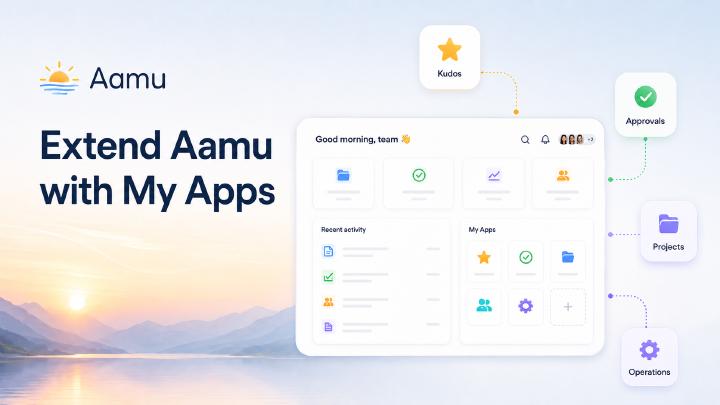
Short answer: Aamu My Apps lets external applications connect to a team workspace through a server-side launch flow, optional user context, separately granted feature API keys, and events returned to Aamu.
My Apps connects team-specific applications to Aamu’s identity, projects and activity feed.
With My Apps, an external application can appear alongside the team's Aamu apps and use the team's existing identity and context. That makes it possible to build a focused experience without asking people to create another account, maintain another team directory, or copy information between unrelated systems.
What My Apps is
My Apps is Aamu's extension point for applications that belong in the team's workspace. An app can have its own interface and data model while still being launched from Aamu and connected to the relevant team, users, and projects.
This is useful for applications that are too specific to be a general-purpose Aamu feature, but too important to live as a disconnected tool. A recognition app, a project-specific dashboard, an approval workflow, a customer portal, or an internal operations tool can all be a better fit as an Aamu app.
The launch flow
A user opens an app from Aamu's My Apps area. Aamu sends the app a short-lived, one-time launch code together with the app identity and the requested context. The external app exchanges that code server to server with Aamu. The app secret stays on the server, and the browser never needs to receive it.
After the exchange, the app receives an Aamu My Apps access token and the initial user and team context. The access token is not a general Aamu API token: it is used to call the My Apps context endpoint and is currently valid for up to 30 days. The app can create its own local session, apply its own application rules, and send the user to the right place in the app. When Aamu opens an existing item, the launch can also include an external id so the app can open that item directly.
Four credentials with different jobs
It is useful to keep the credentials separate:
App secret (
AAMU_APP_SECRET) identifies the external application in server-to-server exchange and event calls. It stays on the server.Launch code is the short-lived, one-time value sent when a user opens the app from My Apps.
My Apps access token represents that user's My Apps session and is used for the context endpoint. It is not a general-purpose Aamu API token.
API key is separately granted by an admin with feature- and project-level permissions. It can be used for APIs such as Tasks, Database, and Docs within those permissions.
An application does not have to use the My Apps context for every API operation. It may use an API key on its own when the workflow is intentionally app-authorized. The context is useful when the application wants to connect the current Aamu user, team, projects, and directory to its own workflow.
User and team context
The My Apps context includes the authenticated user, the team, available projects, and the team's user directory. An external application can use that context to answer practical questions immediately:
Who is using the application?
Which team does the request belong to?
Which projects are available?
Which teammates can be selected as recipients or collaborators?
The application should still validate every write against the context it received. Context is not a reason to bypass authorization; it is a consistent starting point for applying it.
Events bring the result back to Aamu
An app becomes part of the workspace when its important results are visible there. My Apps supports events for external items, notifications, and activity-feed entries.
For example, an external app can create an item that opens in the app, notify a specific teammate, and add an activity entry to the relevant project. Aamu users can discover the result in the workspace they already use, while the external app remains the system that owns its detailed data.
Reliable integrations should treat event delivery as asynchronous. The app should store outgoing events in a durable outbox, use deterministic event ids, retry temporary failures, and make delivery idempotent. Aamu can then be temporarily unavailable without losing the work that needs to be reflected in the workspace.
Kudos as a concrete example
Kudos is a small open-source reference application built around this model. A team member opens Kudos from Aamu, chooses a teammate and a project, writes a thoughtful message, and sends it. Kudos keeps its own kudos, reactions, sessions, and outbox data in SQLite, while sending the resulting item, notification, and activity events back to Aamu.
Tasks as an API-backed reference app
AamuApp/my-app-tasks is a second open-source reference application. It shows how a My Apps application can combine the launch context with a separately granted Tasks API key to list, create, and edit Aamu tasks in its own focused interface.
The app supports task status, assignees, start and due dates, repetition, reminders, Markdown bodies, comments, and real Aamu user mentions. It uses the My Apps team context to resolve users while task data remains in Aamu through the Tasks API.
The implementation uses SvelteKit, TypeScript, and a small SQLite session store. Together with Kudos, it demonstrates both sides of the extension model: an app can own a separate workflow and send events back to Aamu, or it can provide a purpose-built interface over data owned by an Aamu API.
Reference implementation: AamuApp/my-app-tasks on GitHub.
Security belongs in the integration design
A production My Apps integration should validate the app id and the configured Aamu origin on every launch. It should exchange launch codes only on the server, keep the app secret out of browser code, use secure HTTP-only session cookies, and verify that recipients, projects, and other identifiers belong to the authenticated team context.
The external app's own session is separate from the Aamu access token. For example, an app can use an idle timeout that is extended by regular requests, while never extending beyond the Aamu token's absolute expiry. The Aamu context can be refreshed periodically while its token is valid; the app can continue using its own session and separately granted API key when it does not need a fresh context.
Building a My App
A practical first app usually starts with one clear workflow:
Define the action the app should make easier.
Create the app in Aamu My Apps and configure its launch URL.
Implement the one-time launch-code exchange on the server.
Store a local session and use the returned team context for authorization.
Send only the events that help the result belong in the workspace.
Add retries, monitoring, and a production test with a dedicated team.
Frequently asked questions
What is Aamu My Apps?
Aamu My Apps lets external applications connect to an Aamu team workspace with a server-side launch flow, optional user context, separately granted API permissions, and events returned to Aamu.
What is the My Apps access token used for?
It represents the user-specific My Apps session and is used to retrieve the My Apps context. It is not a general-purpose Aamu API token.
What is the difference between the app secret and an API key?
The app secret authenticates the external application for the My Apps exchange and event calls, while an admin-granted API key provides feature- and project-scoped access to APIs such as Tasks, Database, and Docs.
What context can a My Apps application receive?
The application can receive the authenticated user, team, available projects, and the team user directory, subject to the scopes and context provided by Aamu.
Can a My Apps application send information back to Aamu?
Yes. An application can send external item, notification, and activity events so that its work can be discovered inside Aamu.
Does a My Apps application need its own user database?
It needs its own application data and session handling, but it can use the Aamu launch flow for identity and team context instead of creating a separate team directory.