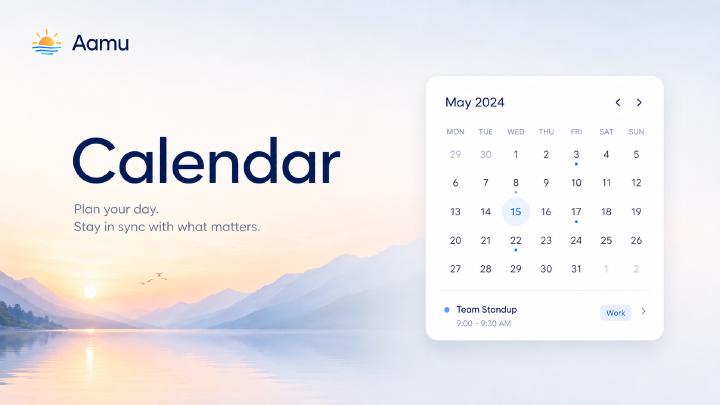
Short answer: Aamu Calendar shows scheduled tasks and Aamu meetings together while keeping them as separate source objects. Users can paint a time range, choose Task or Meeting, and edit the full start–end range from either the calendar or the item.
Aamu Calendar shows scheduled tasks and meetings together in weekly and monthly views.
Scheduled tasks and Aamu meetings appear together in the same weekly or monthly view. They remain separate Aamu objects, with their own details and workflows, but the calendar gives the team one place to understand when the work happens.
Tasks and meetings in one view
Aamu Calendar uses two event sources: scheduled Tasks and Meetings. Tasks are shown in blue and meetings in purple, so the type of each calendar item stays recognizable even when the week becomes busy.
Clicking an item opens its original Task or Meeting. The calendar is therefore a planning view, not a second copy of the data. Titles, dates, statuses, meeting details, task discussions, and other context continue to live in the source item.
Create the right kind of item from the calendar
Click and drag across a time range to create something new. When the range has been selected, Aamu asks whether it should become a Task or a Meeting.
Choose Task when the time is reserved for work that should be tracked, assigned, discussed, or completed.
Choose Meeting when the time belongs to a team conversation, customer call, planning session, or another meeting workflow.
The selected start and end times are carried into the new item. There is no need to recreate the same time range after leaving the calendar.
A task can be a due-date task or a scheduled event
Aamu Tasks support two useful date models. A normal task can have only a due date. A scheduled, event-type task has both a start time and an end time.
The calendar focuses on the second model: work that occupies a real time range. This includes scheduled task events and repeating task events. Calendar-synchronized task events also fit this model because they have both a beginning and an end.
This distinction keeps a deadline from pretending to be a booked block of time. A due date answers “when must this be finished?” A start–end range answers “when are we planning to do it?”
Edit the whole time range
Event-type Tasks and Meetings now use the same time-range editor. The editor shows the start, end, and duration together. A new range defaults to one hour, and moving its start preserves the existing duration.
The end must always be after the start. For meetings, the range is stored as both start_time and end_time, so the meeting has an explicit duration instead of only an arrival time.
You can also move or resize items directly in the calendar. Aamu updates the underlying Task or Meeting while preserving the object type and its surrounding project context.
Calendar is now a top-level Aamu app
Open Calendar from the main sidebar.
The view follows the selected project when a project is active. In an all-project view, it can provide a broader picture of scheduled work across the workspace.
A simpler planning loop
The practical workflow is short:
Open Calendar from the sidebar.
Review scheduled Tasks and Meetings together.
Drag across an open range.
Choose whether to create a Task or a Meeting.
Open, move, or resize the item as the plan changes.
Frequently asked questions
Does Aamu Calendar show both tasks and meetings?
Yes. It combines scheduled, event-type tasks and Aamu meetings in one view and uses different colors to distinguish them.
What happens when I drag across an empty time range?
Aamu asks whether the selected range should become a Task or a Meeting, then carries the start and end times into the new item.
What is the difference between a due-date task and an event-type task?
A due-date task has only a deadline, while an event-type task has a start and end time and represents work scheduled into a specific time range.
Can meeting duration be edited in Aamu?
Yes. Meetings store both a start and end time and use the same time-range editor as event-type tasks.